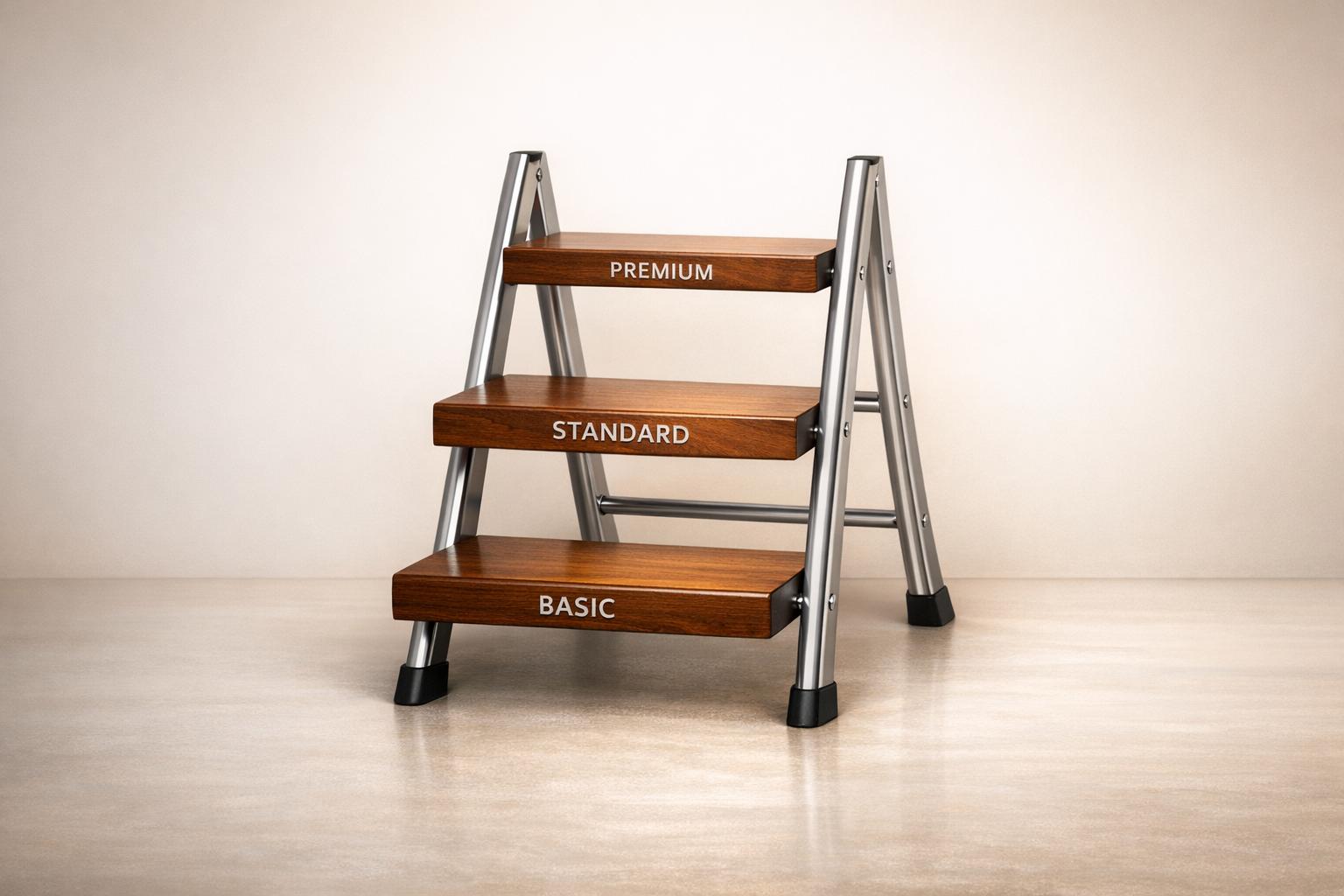
Want to grow your revenue without confusing your customers? A 3-tier pricing model - Basic, Standard, Premium - is your answer. It simplifies choices, taps into customer psychology, and boosts conversion rates by 17%–25%. Here’s why it works:
- Psychology in action: Customers naturally gravitate to the middle option (66%) due to anchoring and compromise effects.
- Balanced simplicity: Three tiers avoid overwhelming buyers while catering to budget, mid-market, and premium users.
- Revenue booster: Removing the middle tier can slash revenue by 48%–60%.
Each tier has a role:
- Basic: Entry-level, covers essentials, priced to attract.
- Standard: The "best value", drives most sales and profit.
- Premium: High-end, tailored for customers needing top-notch solutions.
Present your pricing clearly with a side-by-side comparison table, highlight the Standard tier, and adjust based on customer feedback. This strategy increases sales and builds trust.

3-Tier Pricing Strategy Comparison: Basic, Standard, and Premium Features
Three Tiered Pricing Structure w/ Examples and Templates
Step 1: Create Your Basic Tier
The Basic tier is your starting point, designed to draw customers in with an essential version of your service. It’s all about offering just enough to meet their needs while keeping the price attractive - and ensuring it covers your costs.
At its core, the Basic tier must account for your Cost of Sales (COS), which includes direct labor and materials. Your pricing needs to exceed these costs and contribute to overhead expenses. If it doesn’t, you’re essentially losing money on every sale. Let’s break down what should go into your Basic tier.
What Should Be Included in the Basic Tier
Focus on your core offering - the part of your service that directly addresses your customer’s main problem. Strip away extras like priority support, advanced analytics, or customization; these can be saved for higher-tier packages.
Set clear usage limits. For example, a web hosting service might offer a Basic plan for "$5/month for 1 website", while reserving features like unlimited websites for a Premium plan at "$20/month". Similarly, a content marketing agency might charge $1,000/month for a Basic package that includes research, writing, and editing, but reserve design and social media copy for a $2,500/month Premium package.
Use "fence attributes" to create boundaries between tiers and discourage downgrades. For instance, Allstate’s 2005 "Your Choice Auto" program introduced a Value plan priced 5% lower than the Standard plan by removing "accident forgiveness." By 2017, 10% of customers opted for the Value tier. Similarly, when Uber launched uberPOOL in 2014, it offered a lower-priced alternative to uberX by including shared rides and longer travel times.
Once you’ve nailed down what belongs in your Basic tier, the next step is to position it effectively to balance margins and attract the right customers.
How to Position the Basic Tier
Price your Basic tier carefully - within 25% of your Standard tier. Pricing it too low could undercut revenue from higher-paying customers. Allstate’s 5% price difference between its Value and Standard plans is a great example of how to attract cost-conscious buyers while protecting your margins.
Choose a name that resonates. Opt for positive, appealing labels like "Starter", "Lite", or "Essentials" to make customers feel confident in their decision. Avoid names that suggest they’re settling for less .
"The lowest package sets a tone for the kind of business you are and the kinds of clients you'll attract." - Daniel Reiter, Former Editor-in-Chief, FreshBooks
Be clear about what’s included. Ambiguity can lead to scope creep, where customers expect extras that belong in higher tiers. Clearly defined deliverables not only protect your upsell opportunities but also help set proper expectations. Plus, tiered pricing proposals have been shown to generate 32% more sales than single-price offers. And don’t forget - existing customers are 50% more likely to return and often spend 31% more.
Step 2: Build Your Standard Tier
Once you've established a clear Basic tier, it's time to create a Standard tier that offers more value and serves as your revenue driver. This tier becomes especially appealing when positioned as the "best value" option, striking a balance between affordability and comprehensive service delivery.
Think of the Standard tier as your flagship offering. Instead of just covering the essentials, this tier should deliver the full results your customers are looking for. For example, a bookkeeping service might price its Standard tier at $249/month (compared to $149/month for Basic), adding features like monthly financial reports and review calls to help business owners better understand their numbers. Similarly, a web maintenance service could charge $139/month for its Standard plan (versus $79/month for Basic), including extras like staging environment updates and performance tuning to ensure websites run smoothly.
To further boost customer confidence, include at least one confidence feature, such as priority support or scheduled reviews. These additions justify the higher price point and reassure buyers that they're getting a professional-grade service, not just an upgraded Basic plan.
What to Include in the Standard Tier
Your Standard tier should include about 80% of your top features. Use a 1:1.6:2.5 pricing ratio to set the price - if your Basic tier is $100, the Standard tier should be around $160. This creates enough price separation to protect your profit margins while making the upgrade feel like a practical choice rather than a splurge.
Make sure to clearly define limits for deliverables, such as the number of meetings, revisions, or support tickets, to avoid scope creep. For instance, when PandaDoc structured its pricing, it jumped from $19/month for its Essentials plan to $49/month for its Business (Standard) tier, clearly outlining the added features that justified the price increase. Ideally, your Standard tier should deliver the highest profit margins and serve as your go-to recommendation.
Using the Decoy Effect
Leverage the Basic and Premium tiers to highlight the value of the Standard tier. The Basic tier acts as a modestly priced decoy, while the Premium tier serves as a high-price anchor, making the Standard option seem like the most reasonable and attractive choice.
"Given the options of Good, Better, and Best, people who are unsure of what they want buy Better." - Mark Stiving, Author of Impact Pricing
Label your Standard tier as "Most Popular" or "Best Value" to guide customer decisions and reduce decision fatigue. Social proof can also play a role here. When MConverter introduced a 3-tier pricing structure, co-founder Mihael Trifonov observed:
"We noticed that most users gravitated toward the mid-tier, confirming that a well-balanced 'best value' option not only improves conversions but also builds trust".
Including a middle tier in your pricing structure can increase conversions by 17% to 25%. On the other hand, removing the middle tier can lead to a revenue drop of 48% to 60%.
With the Standard tier in place, you're ready to move on to designing your Premium tier to complete the pricing ladder.
Step 3: Design Your Premium Tier
Your Premium tier is for clients who need fast, comprehensive solutions and are willing to pay for top-tier service. These customers often face pressing challenges and want the best possible results with minimal delay.
For this tier, prioritize speed, scale, and expert insights. Take a bookkeeping service as an example: their Premium tier might cost $449 per month (compared to $249 for Standard), offering weekly cash tracking and a 4-hour response time instead of next-business-day support. Similarly, a web maintenance service might price its Premium plan at $279 per month (versus $139 for Standard), including emergency rollback capabilities and weekend coverage to ensure critical uptime.
What to Include in the Premium Tier
Your Premium tier should offer features that justify the higher price and build confidence in your service. Think 24/7 customer support, dedicated account managers, or direct access to senior experts. A good rule of thumb for pricing is the 1:1.6:2.5 ratio - if your Basic tier is $100 and Standard is $160, Premium should be around $250. This pricing structure emphasizes that the Premium option is a high-value, no-compromise choice.
Southwest Airlines provides a great example. In 2007, they introduced "Business Select", which included perks like priority boarding, extra frequent-flier miles, and complimentary cocktails. Customers saw these features as highly valuable, and the package brought in $73 million in additional revenue during its first full year.
However, it's crucial to set limits on Premium offerings - like capping meetings, revisions, or support hours - to protect your margins and avoid overextending your resources.
How to Make the Premium Tier Stand Out
To stand apart, your Premium tier should deliver the same core result as your Standard option, but faster, on a larger scale, or with greater reliability. Allstate exemplified this approach with its "Platinum" plan, launched in 2005 and priced 15% higher than standard rates. The plan included benefits like accident forgiveness and safe-driving bonuses. By 2017, 23% of Allstate customers had upgraded to their high-end Gold or Platinum tiers. As Floyd Yager, Senior Vice President at Allstate, explained:
"There were a lot of skeptical people in the company, but we demonstrated that car insurance doesn't have to be about being the lowest-price game".
You can also offer exclusive benefits - like custom integrations, emergency response plans, or unlimited usage - to discourage clients from downgrading. For instance, a video production service might include concept development, location shoots, and priority editing slots, while a SaaS company could offer unlimited users and 24/7 phone support.
sbb-itb-08dd11e
Step 4: Validate and Adjust Pricing with IdeaFloat

Getting your pricing right is crucial for creating a self-sustaining pricing ladder, and having real-time data at your fingertips makes all the difference. Once you've crafted your three pricing tiers, it's time to put them to the test using real-world data. IdeaFloat's Advanced Pricing Research tool is designed to help you analyze competitor pricing, understand what customers are willing to pay, and fine-tune your price points based on factors like location, industry, company size, and billing structure.
Advanced Pricing Research with IdeaFloat
IdeaFloat leverages AI to compare your pricing against industry benchmarks and aggregated proposal data. It provides instant recommendations for optimal price points, complete with clear explanations to back up each suggestion. For example, you might adjust the pricing of your Standard tier slightly or experiment with renaming your Premium tier to something like "Pro" to see how it impacts customer upgrades. These insights allow you to tweak your pricing strategy based on how customers actually respond.
Fine-Tuning with Customer Feedback
Once you've gathered data, you can dig deeper into how your pricing aligns with market trends. IdeaFloat also tracks key customer usage metrics - such as transaction volumes, storage usage, or API calls - to ensure your clients are getting appropriate value.
Metrics like Expansion MRR and Upgrade MRR are especially useful for understanding customer movement between tiers. For instance, if most customers remain in the Basic tier without upgrading, it might be a sign that your Standard tier lacks enough enticing features or is priced too high. On the other hand, if nearly all customers are choosing the Premium tier, it could mean your Standard tier isn’t offering enough value to stand out. Use these insights to adjust both pricing and features so that each tier naturally encourages progression. By refining your pricing strategy with these adjustments, you create a clear and compelling path for customers to move from Basic to Premium.
Step 5: Present Your Pricing Clearly
Once you've nailed down your three-tier pricing structure, how you present it can make or break your sales. A clear, well-organized presentation helps customers quickly understand their options and make confident decisions. Research backs this up: offering tiered pricing options can lead to 32% more sales compared to proposals with just one option.
Create a Pricing Comparison Table
A side-by-side pricing table is one of the most effective ways to showcase your tiers. Arrange the tiers from left to right, starting with the lowest price and moving to the highest. This layout feels natural and guides customers through the increasing levels of value. Plus, limiting the options to three tiers can significantly boost purchase rates - from 3% to 30%.
When naming your tiers, go with progression-based labels like "Starter, Pro, Enterprise" or "Walk, Run, Sprint". These names should feel positive and confident, even for the entry-level option. For more complex features, like API access or white-labeling, use tooltips to explain benefits without overloading the table. This approach keeps your table clean while ensuring customers understand the value.
By structuring the table this way, you make it easy for customers to see the incremental benefits of moving up a tier.
Show Value Progression Across Tiers
A clear pricing table is just the start. Visual cues can make a big difference in helping customers see the value in each tier. For instance, highlighting the middle option with labels like "Most Popular" or "Best Value" can steer customers toward it. In fact, studies show that 66% of customers choose the Medium tier when options are labeled as Low, Medium, and High. Use a contrasting color for this tier to make it stand out.
Each higher-priced tier should build on the previous one, including all its features plus additional perks. This creates a "value ladder" that justifies the price increases. Mihael Trifonov, Co-Founder of MConverter, explains:
"A well-balanced 'best value' option not only improves conversions but also builds trust by giving users a sense of control over what they're paying for".
To make the tiers even more relatable, add subheaders that specify who each option is best suited for. For example, you might label tiers with phrases like "Great for small teams" or "Ideal for freelancers." This helps customers quickly identify the tier that aligns with their needs.
Conclusion
A 3-tier pricing strategy offers a straightforward way to simplify customer decisions while increasing revenue. Instead of asking potential buyers, "Should I buy?", you're reframing the question to, "Which option works best for me?" This approach can increase sales by 32% compared to single-option offers and improve operational efficiency for 41.4% of businesses.
Each tier in this structure plays a specific role. The Basic tier minimizes barriers to entry, making it easier for customers to get started. The Standard tier, often the most popular choice (preferred by 66% of customers), provides the best balance of value and price. Finally, the Premium tier sets a high-value benchmark, appealing to clients who want the most comprehensive offering. Together, these tiers create a logical value ladder, encouraging upgrades as customers see the added benefits of each level.
And here's an important reminder: your pricing strategy doesn't have to be perfect from the start. As Daniel Reiter, Former Editor-in-Chief at FreshBooks, wisely notes:
"The first version of your packages will not be your last. The market changes. Your client needs also change. And as a result, your service packages will probably need to change too".
With shifting market conditions, refining your pricing strategy is an ongoing process. Tools like IdeaFloat's Advanced Pricing Research can help validate your pricing approach and track the performance of each tier. Begin by building your three tiers, present them clearly in a side-by-side comparison table with the Standard tier highlighted as the best value, and test your strategy using market insights. Adjust and improve as you gather data, ensuring your pricing stays relevant and effective.
FAQs
How does the 3-tier pricing strategy use psychology to boost sales?
The 3-tier pricing strategy taps into psychological principles to subtly guide customer decisions and boost sales. By presenting three distinct options - commonly framed as "good, better, best" - it simplifies the decision-making process and minimizes the chances of customers feeling overwhelmed. This structure makes it easier for them to commit to a purchase.
A key factor at play here is the Goldilocks Principle. People tend to gravitate toward the middle option because it feels "just right" - a balance between cost and value. This makes the mid-tier offering particularly attractive. On top of that, the strategy incorporates price anchoring: the lowest-priced option establishes a baseline, while the highest-priced option emphasizes the value of the middle tier, making it seem like the most reasonable and appealing choice.
By combining these psychological cues - streamlined choices, the appeal of balance, and carefully framed pricing - this approach not only encourages more purchases but also increases the average amount customers are willing to spend.
What should each pricing tier include to balance profitability and customer satisfaction?
Each level in a 3-tier pricing model should provide clear and distinct benefits, catering to various customer needs while maintaining profitability.
- Basic (Good): This tier covers the essentials - features or services that address the primary problem at a lower price point. To keep costs down, it excludes extras and relies on economical support options like self-service FAQs or email assistance.
- Standard (Better): Positioned as the most popular choice, this tier builds on the Basic plan by including frequently requested features or services. It offers a more comprehensive solution with noticeable upgrades, such as quicker delivery times or improved support options, making it the go-to option for most customers.
- Premium (Best): Designed for those seeking the highest level of service, this tier includes everything from the Standard plan, plus exclusive perks like priority service, advanced tools, or personalized account management. It’s tailored for customers who prioritize convenience and premium-level support.
By structuring your tiers to offer clear value at each level, you can attract a diverse customer base while ensuring profitability across all options.
How can businesses test and refine their pricing strategy effectively?
To keep your pricing strategy sharp and effective, think of it as a living, breathing process that evolves alongside your business and market trends. Start by identifying key metrics to track, such as conversion rates, average revenue per customer, churn rates, and profit margins. These indicators will help you measure the success of your pricing decisions.
Next, test the waters with small-scale experiments like A/B tests or pricing trials. These allow you to gauge how tweaks to price points or tier structures influence customer behavior. For example, does a slight increase in pricing lead to better revenue without scaring off customers? Or does it cause a noticeable spike in churn?
After running these experiments, dig into the data and gather customer feedback to figure out what’s working - and why. If a new price point boosts conversions without eating into your margins, it might be worth expanding that change. On the other hand, if it drives customers away or lowers engagement, it’s time to reassess. Maybe the pricing needs to be adjusted, or the value offered in each tier needs a closer look.
By regularly testing, analyzing, and fine-tuning, you can create a pricing strategy that not only meets your business goals but also aligns with what your customers value most.
Related Blog Posts
 Report an issue
Get the newest tips and tricks of starting your business!