
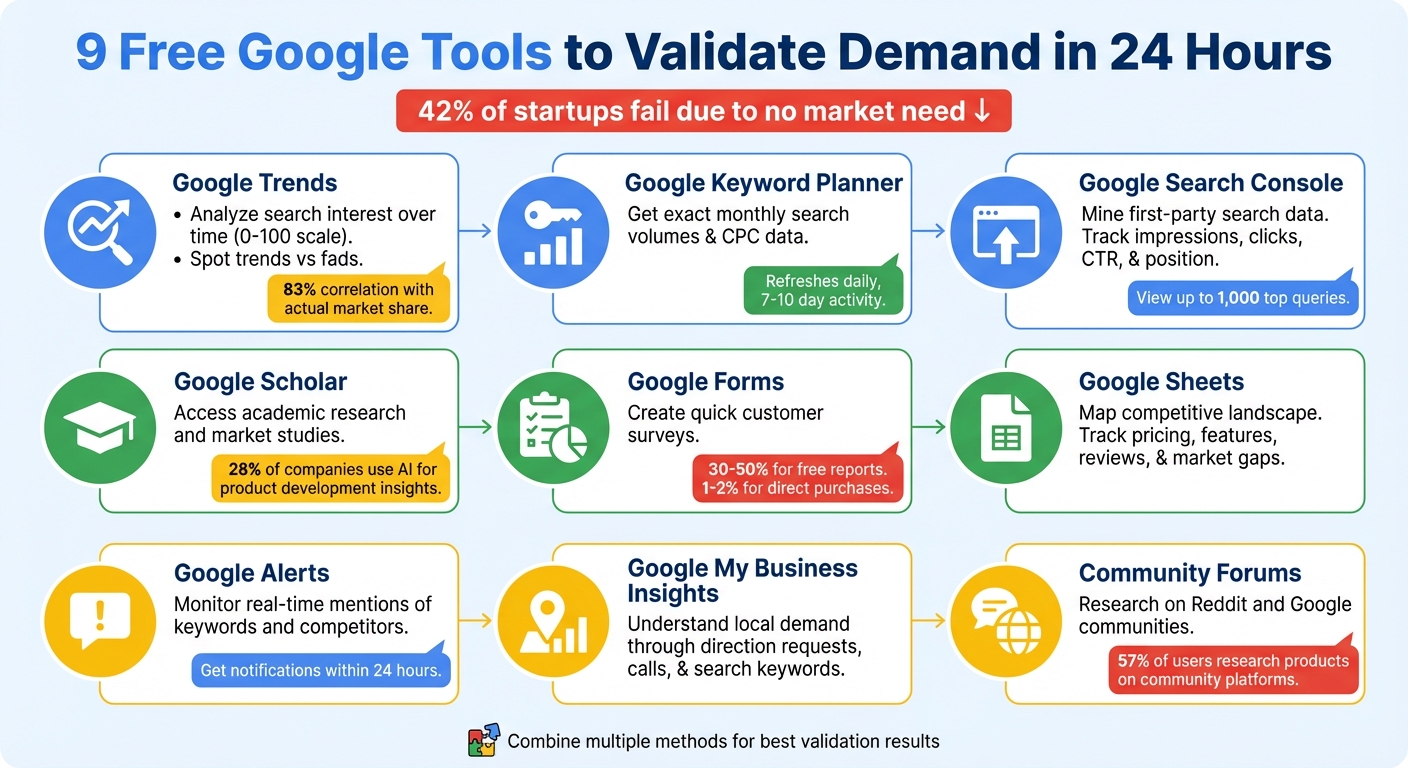
42% of startups fail because there’s no market need for their product. Before investing time and money into a business idea, you can use free Google tools to test demand in just 24 hours. These methods help you identify real market interest, avoid costly mistakes, and show investors you’ve done your research.
Here’s a quick rundown of the 9 strategies:
- Google Trends: Analyze search interest over time to spot trends or fads.
- Google Keyword Planner: Get precise monthly search volumes and keyword costs.
- Google Search Console: Review search queries and performance on your site.
- Google Scholar: Access academic research for market insights.
- Google Forms: Collect direct customer feedback through surveys.
- Google Sheets: Organize competitor data and identify market gaps.
- Google Alerts: Monitor real-time mentions of keywords and competitors.
- Google My Business Insights: Understand local demand through engagement metrics.
- Community Forums: Explore platforms like Reddit for unfiltered customer needs.
These tools help you validate ideas, gauge demand, and refine your approach - all without spending a dime. Dive in to learn how to use them effectively.
9 Free Google Tools to Validate Business Ideas in 24 Hours
How To Test ANY Startup Idea In 24 Hours (No Code + AI)
1. Google Trends for Search Interest Analysis
Google Trends is a fast way to check if people are interested in your idea. This tool gives you search interest data on a scale from 0 to 100, with 100 representing peak popularity for a specific term, time period, and location. And the best part? It delivers results almost instantly.
To get started, enter your idea and set the timeframe to the last five years. Why five years? It helps you distinguish between long-term trends and short-lived fads. Take "fidget spinner" as an example - it hit 100 in May 2017 but dropped off quickly, while "yoyo" has consistently stayed between 10 and 20. This comparison highlights the difference between fleeting hype and steady demand.
"Google Trends is always my first stop when exploring a new idea. It doesn't matter if it's a business idea, product idea, marketing idea, or even just something I'm curious about." - Casandra Campbell
Dig deeper by checking the "Related Queries" section and filtering by "Rising" to uncover emerging interest. If you see "Breakout" next to a term, that means its search volume has skyrocketed by over 5,000%. This is a golden opportunity to spot new demand before competitors catch on. You can even compare your idea against a competitor's brand to gauge relative market share. In fact, Google Trends' share of search correlates with about 83% of a brand's actual market share.
Switch between Web, YouTube, and Google Shopping searches to see where your audience is most active. For example, a topic might be losing traction in web searches but gaining momentum on YouTube, revealing how people prefer to engage with content about your product. Geographic data is another powerful feature - it breaks down interest by state or even city, showing you exactly where demand is strongest before you invest in advertising.
2. Google Keyword Planner for Search Volume Research
Google Keyword Planner gives you access to exact monthly search volumes, offering a level of precision that complements the broader trends shown by Google Trends. This tool pulls live Google search data, letting you validate your ideas with real-world numbers.
To use it, you'll need a Google Ads account. Once you're in, switch to "Expert Mode" to unlock its full potential. From there, you can choose between two main options: "Discover new keywords" for brainstorming or "Get search volume and forecasts" for detailed insights. The data refreshes daily and reflects activity from the past 7–10 days.
"For a free tool, the Google Ads Keyword Planner is a very valuable resource. You can use it both to validate market demand before you even start product development, and you can even use it to help forecast your marketing costs." - Jim Wrubel, Innovation Works
One standout feature is the "Top of page bid" column, which highlights the commercial value of keywords. High bids often indicate strong demand. For instance, if a keyword has a bid of $6.50 and your conversion rate is 5%, your estimated cost to acquire a customer would be $32.50. A practical example: the founders of Later, an Instagram scheduling app, validated their idea after discovering 9,900 monthly searches for "schedule Instagram post".
Another useful feature is "Start with a website", which allows you to extract competitor keywords. You can also filter results by location or sort by "YoY change" to spot rising trends. For example, a search for "giant stance e+" revealed a 900% year-over-year increase, identifying it as a breakout product trend.
Next, we’ll look at how Google Search Console can refine your market insights even further.
3. Google Search Console Data Mining
Google Search Console is a treasure trove of first-party data straight from Google's search engine. It reveals which search queries trigger your site to appear in results, giving you a direct glimpse into actual search behavior. When paired with tools like Google Trends and Keyword Planner, it becomes even more powerful for understanding demand signals.
The Performance report is your go-to for tracking key metrics such as Impressions, Clicks, CTR (Click-Through Rate), and Average Position. For example, if you notice high impressions but low clicks, it could mean your content isn't quite hitting the mark, even though there's clear interest.
"CTR measures whether users think that your page answers their question best, based on the search result." - Google Search Console Help
One of its standout features is the ability to view hourly data within a 24-hour window, giving you near real-time insights into your search performance. You can also analyze up to 1,000 top queries, providing a detailed look at the exact terms people are using to find your site.
For quick wins, focus on queries with high impressions but low CTR. By applying regex filters (like (buy|price|cost) product-name), you can group related searches and gauge overall interest in specific topics.
Another smart strategy is to pinpoint queries that rank on Page 2 of search results. These represent opportunities where latent demand exists, and a little optimization might push your content onto Page 1. Comparing date ranges and using device filters can also help you identify mobile-first trends, which are increasingly important.
Best of all, Google Search Console is completely free - just verify your site to start tapping into its insights.
4. Google Scholar for Academic and Market Research
Google Scholar opens the door to a wealth of academic papers, theses, and technical reports that can provide valuable insights into consumer behavior and market trends. It’s like having access to high-level research - without the hefty fees charged by professional firms. Whether you’re trying to understand market challenges, validate your value propositions, or identify your ideal customer profile, Google Scholar offers a treasure trove of existing studies and analyst coverage to guide your decisions. This academic perspective complements the real-time search data discussed earlier.
The Advanced search feature is incredibly handy, allowing you to refine your queries by specific phrases, authors, or publications. For example, searching for phrases like "[Industry Name] market analysis" or "[Product] consumer behavior study" can lead you to structured and detailed data.
Scholar Labs leverages AI to help synthesize information quickly and efficiently. Interestingly, about 28% of companies now incorporate AI into their product and service development processes, showcasing the growing reliance on such tools.
To expand your research, use the "Cited by" option to find newer studies that reference a particular paper, or explore "Related articles" to uncover similar topics. You can also set up Alerts for specific keywords, ensuring you’re notified whenever new research relevant to your market is published.
For the most current insights, apply date filters like "Since 2025" or set a custom range to focus on recent market conditions. Additionally, the search operator filetype:pdf can help you locate published studies, analyst Q&A transcripts, and even conference slide decks that provide a broader view of market dynamics. Save any important findings to your "My library" for easy access during your research process.
To get the most out of your research, consider pairing Google Scholar with tools like Google Trends and Keyword Planner. This combination helps balance academic insights with up-to-date commercial data. Up next, we’ll look at how Google Forms can help you collect immediate customer feedback to further validate your ideas.
5. Google Forms for Quick Customer Surveys
Academic research and search data can reveal trends and interests, but nothing beats direct customer feedback. With Google Forms, you can whip up a professional survey in just minutes at forms.google.com. Plus, it automatically charts responses and lets you export data to Google Sheets for deeper analysis.
But here's the thing: validation isn't just about people liking your idea - it’s about whether they’re willing to back it up with action. Natasha Che, Founder of Soundwise, puts it perfectly:
"Your idea is not validated until people are willing to invest some resources to demonstrate their interest."
When crafting your survey, focus on questions that get to the heart of the problem. For example:
- "What’s your biggest challenge with [problem]?"
- "How do you currently solve it?"
- "What would the perfect solution look like for you?"
Wrap up with a commitment question - like asking for an email to join beta access or receive updates. This helps you separate casual interest from genuine demand.
Mitchell Harper, Co-founder of Bigcommerce, offers a crucial reminder:
"Never, ever build a startup that solves a 'nice-to-have-fixed' problem. People will use your product but never pay for it."
Of course, creating a great survey is only half the battle. You need to get it in front of the right people. Here are a few ways to distribute it effectively:
- Post in niche communities like Reddit, LinkedIn groups, or Discord where your audience already talks about these challenges.
- Search Twitter for phrases like "I wish there was a ___" to find people discussing your problem area.
- Use a search like
site:competitor.com "powered by"to identify users of similar tools and reach out directly.
A few hours of targeted outreach - around 4 hours, to be precise - can often uncover enough early signals to validate your idea.
Before you start, set a clear success metric. For instance:
- 10 email signups
- One person willing to pay
- A specific conversion rate
If you’re offering a free report in exchange for an email, expect conversion rates of 30–50%. Direct purchase signals, on the other hand, are usually lower - about 1–2% for most products. For items priced over $100, initial conversion rates often dip below 1%.
Finally, use Google Sheets to map out your competitive landscape and refine your positioning. It’s a simple but effective way to turn feedback into actionable insights.
sbb-itb-08dd11e
6. Google Sheets for Competitive Landscape Mapping
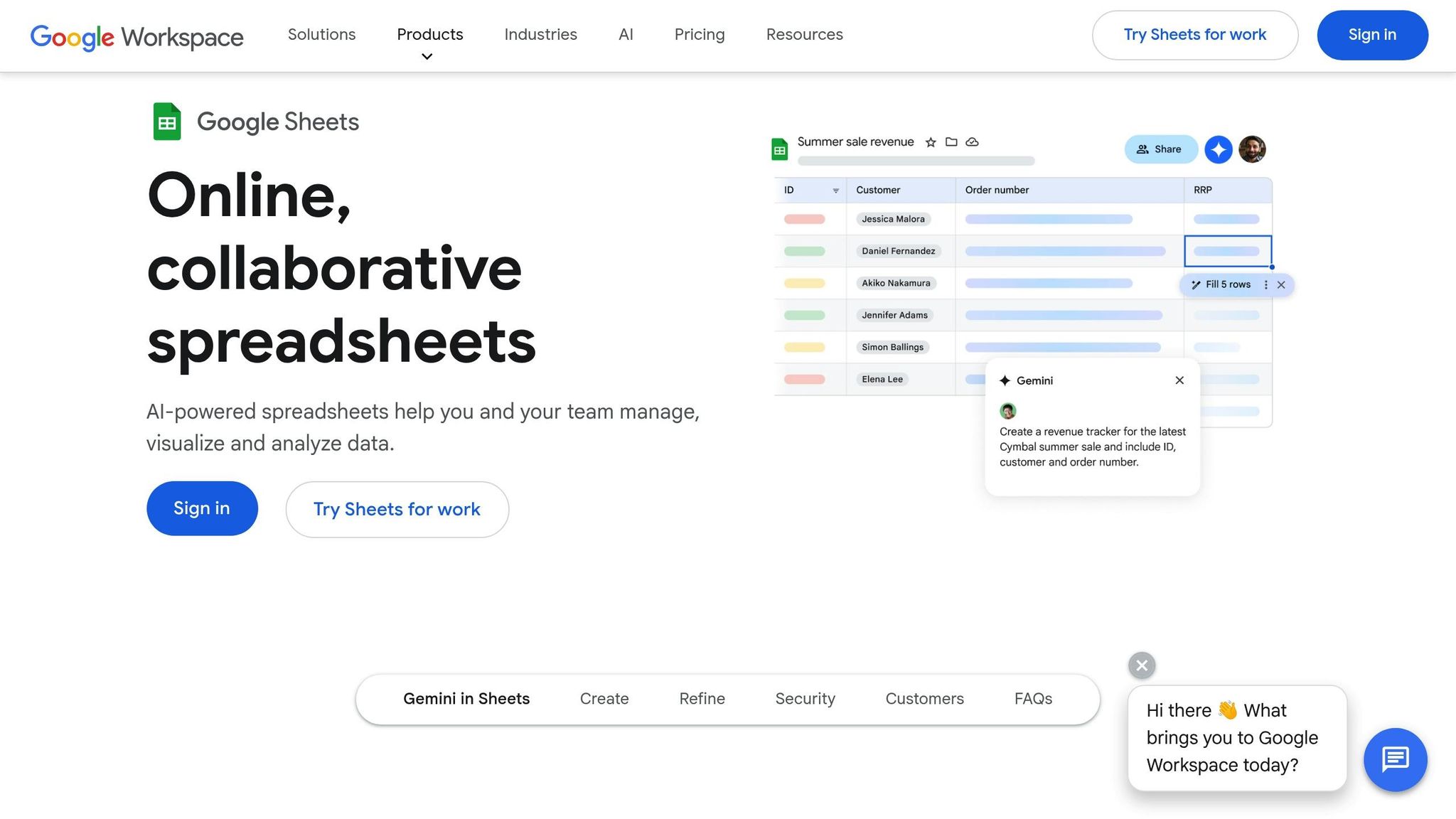
Once you've gathered survey responses, it's time to transform that raw competitor data into a clear, actionable map. Using the feedback collected through Google Forms, Google Sheets becomes your go-to tool for visually mapping out the competitive landscape. This process helps you extend your customer insights and see exactly where your idea fits compared to the competition.
Start by grouping your competitors into three categories: Direct (same product, same audience), Different Solution (different product, same audience), and Different Customer (same product, different audience). This approach ensures you're focusing on the players that matter most. As Mateusz Makosiewicz, Marketing Researcher at Ahrefs, puts it:
"A competitive analysis is one of the most fruitful exercises in marketing. It can show you areas for improvement, give ideas for new features, and help you discover gaps in your strategy."
Next, set up columns in your sheet to track key metrics that reveal market demand. Include data points like the price of each competitor's cheapest plan, their main features, total review counts, and star ratings from platforms such as G2 or Trustpilot. Add a "Wins" column to mark which competitor excels in areas like pricing, features, or customer service. Tally these "wins" to identify where your product can stand out.
For a deeper analysis, try using weighted scoring to compare your data sources. For instance, actual purchase data (like AliExpress order volumes) might get a weight of 1.0, while social media mentions could be weighted at 0.5, and competitor search results at 0.25. To take it a step further, export your top 50 keywords from Google Keyword Planner as a CSV file and import them into Sheets. This lets you analyze search intent alongside your competitive data.
Want quicker insights? Use ChatGPT to summarize 2–4 star competitor reviews. These reviews often provide honest feedback about strengths and weaknesses. Paste the summaries directly into your sheet to highlight gaps you can address. This combination of tools and techniques ensures your competitive analysis is both thorough and actionable.
7. Google Alerts for Real-Time Market Monitoring
After identifying your competitive landscape, staying updated on real-time market changes is crucial. Google Alerts offers a simple, free way to keep tabs on your industry, competitors, and key topics. This tool sends notifications whenever your chosen keywords appear online, giving you a steady stream of insights without stretching your marketing budget. As Ehtisham Hussain, Freelance Marketer at LocaliQ, says:
"Google Alerts is a free, low-effort social listening tool option. It doesn't cause you to take resources away from your marketing budget."
Setting up Google Alerts is quick and straightforward. Head over to Google Alerts, type in your keyword, and click "Show Options" to customize your alerts. You can adjust the frequency and choose specific sources like News, Blogs, Discussions, or Video to focus on platforms where your audience is most active.
Want to refine your results? Use advanced search operators. For example:
- Put exact phrases in quotes.
- Exclude certain terms with a minus sign.
- Combine keywords with AND/OR for more precise tracking.
For competitor monitoring, try something like: "Competitor Name" AND ("launch" OR "promotion" OR "new product"). You can even limit alerts to specific websites using the site: operator, such as "AI marketing" site:techcrunch.com.
This approach offers a cost-effective alternative to pricey enterprise monitoring tools. With these alerts, you’ll uncover emerging trends, track customer sentiment through reviews, and spot gaps in the market - delivered straight to your inbox, often within 24 hours. It’s an invaluable way to keep your finger on the pulse of your industry.
8. Google My Business Insights for Local Demand Signals
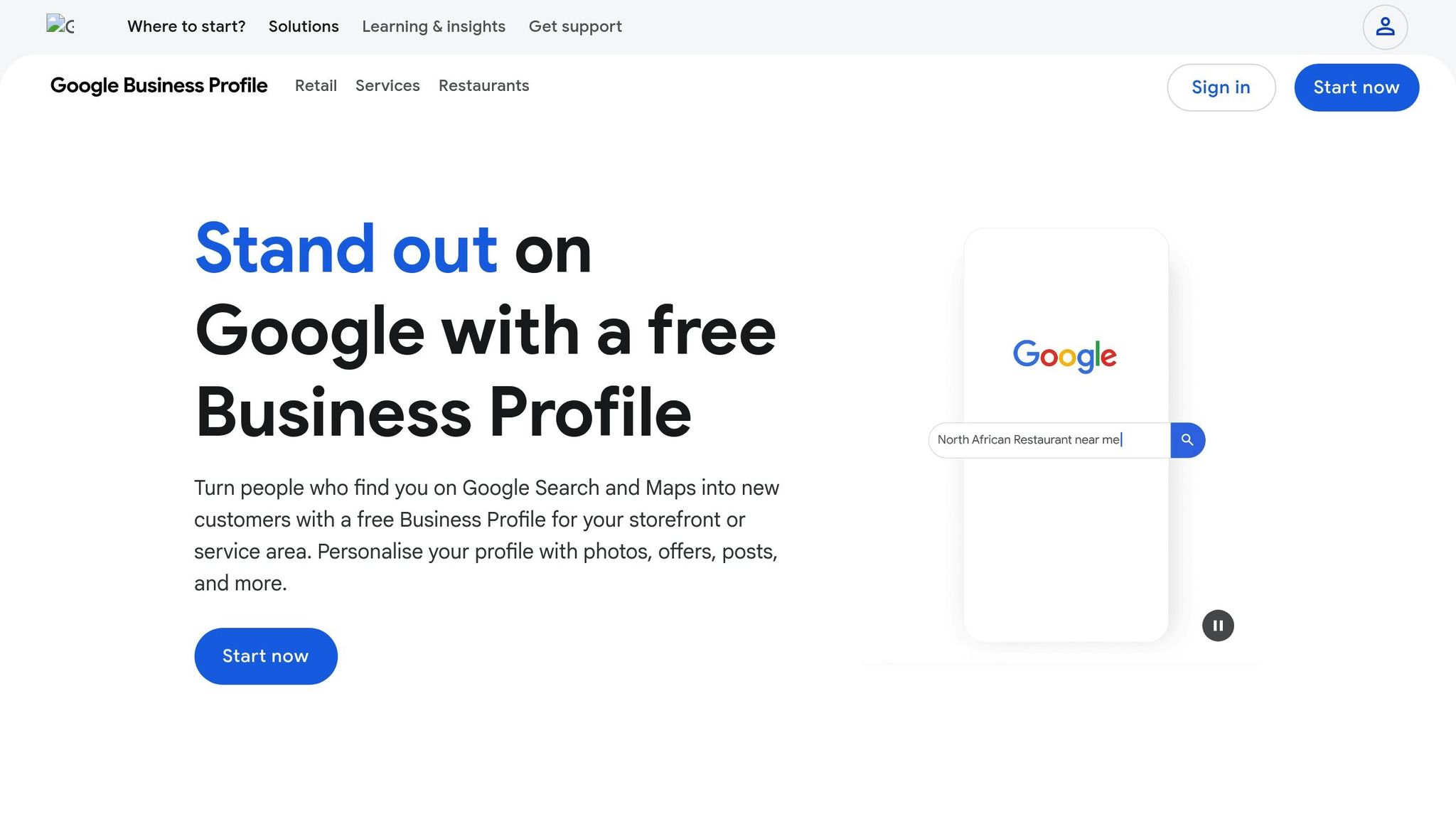
Google My Business Insights is a treasure trove of real-time data that can help you understand customer behavior through your verified Business Profile. By clicking the "Performance" button, you can access engagement metrics that reveal how people are interacting with your business locally. This data complements earlier validation steps by zeroing in on geographic demand.
"Performance data gives you insight into how people discover your Business Profile. It highlights how customers use Search and Maps to find your profile, and what actions they take once they do."
Some of the most telling metrics to focus on are Direction requests and Calls. These indicators often show that potential customers are ready to visit your location or get in touch. Another key metric, Searches, allows you to see the specific keywords locals use to find your profile.
"Keyword insights is extremely valuable for setting up rank tracking, prioritizing keywords, and other SEO efforts such as content creation."
For even deeper insights, look at metrics like Menu/Product views, which are particularly useful for physical locations. These can help you identify your most popular local offerings. Keep in mind that the "Searches" metric updates monthly, with a delay of up to five days, giving you a clear picture of evolving demand patterns.
To get even more granular, add UTM parameters to your website link in your Business Profile. This allows you to track traffic from local searches and identify peak times for calls and messages, offering a clearer view of when local search activity is at its highest.
9. Google Analytics Community Forums for Audience Research
Google's tools are great for data, but community forums add a layer of real-world insights that numbers alone can't provide. These platforms - like Reddit and Google Analytics Help Communities - are where users share unfiltered frustrations, needs, and buying signals that surveys often overlook. In just 2–3 hours of browsing, you can uncover valuable insights into what people genuinely want.
To get started, use specific search operators to find relevant discussions. For example:
- site:reddit.com "Google Analytics" ("sucks" OR "frustrating" OR "how do I")
- site:support.google.com/analytics "is it possible to"
These searches help you quickly locate high-activity threads with lots of upvotes, signaling widespread issues or recurring themes.
The Reddinbox Blog highlights the value of these forums:
"Reddit gives you that [unfiltered customer language] for free. Copy the exact phrases people use and paste them into your landing page." - Reddinbox Blog
Pay attention to posts where users mention juggling multiple tools or express frustrations like, "I love X, but it doesn’t do Y." If these issues pop up consistently over the years - say in threads from 2020, 2022, and 2024 - it’s a strong indicator of a deeper, ongoing need rather than a passing annoyance.
Look out for direct buying signals, too, such as phrases like "willing to pay for", "looking for a solution that", or "current tool sucks because." With 57% of users turning to community platforms to research products before purchasing, these forums are a goldmine for understanding what your audience truly wants. Together, these insights round out your toolkit for rapid market validation.
Conclusion
These nine free Google-based methods give you the tools to validate your business idea in just 24 hours. From tracking trends in Google Trends to diving into community forums, each method offers a different lens to evaluate market demand. The real magic happens when you combine multiple methods, rather than relying on just one.
Each tool serves a purpose. Google Trends helps you spot whether interest is growing or fading, while Keyword Planner delivers hard numbers on search volume and costs. Cross-referencing regional data is critical - what’s trending globally may not resonate in your target market. As serial entrepreneur Marshall Hargrave explains:
"Search volume tells you the market size. Search intent tells you if they'll buy".
This is why blending macro-level insights with micro-level feedback - like surveys via Google Forms or direct interviews - is so important. It ensures that high search volume reflects not just interest but also a willingness to pay.
Don’t wait. Use Keyword Planner's bid ranges to estimate your Customer Acquisition Cost (CAC), then create a simple landing page with a "buy" or "join waitlist" button. This step helps you test actual conversion intent before committing to full production. Companies like Tuft & Needle used this exact strategy to validate their demand early on, eventually growing to over $170 million in annual sales by 2017.
FAQs
How can I use Google Trends to tell if an idea is a lasting trend or just a short-term fad?
Google Trends lets you see the difference between a lasting trend and a passing fad by tracking how search interest evolves over time. A trend typically shows steady or increasing search volume over a longer period, reflecting sustained interest. On the other hand, a fad often features a sudden spike in searches that quickly drops off, signaling short-lived appeal.
By analyzing historical search patterns, you can determine whether an idea is building long-term momentum or just enjoying a temporary burst of attention. This knowledge helps you prioritize business ideas with enduring demand over those that may fade quickly.
How can Google My Business help you understand local demand for your idea?
Google My Business (GMB) provides detailed insights into how people in your area interact with your business. It tracks key data points like how many people view your listing, what actions they take (such as visiting your website, requesting directions, or making a call), and the search terms they use to find you. This information gives you a clear picture of local interest and demand for your products or services.
Additionally, GMB shows how your business performs in local search results and map listings. This lets you see how visible you are compared to competitors in your area. By reviewing these metrics, you can spot trends, identify seasonal patterns, and measure overall demand. These insights help you make smarter, faster decisions to align with your audience's needs.
How can Reddit and other online forums help validate market demand?
Online forums like Reddit are a fantastic way to gauge market demand because they give you direct access to real conversations and honest feedback from users. By diving into relevant subreddits, you can uncover your audience's pain points, preferences, and questions - offering a clear window into what they genuinely need.
These platforms also let you track trends, measure interest in your idea, and spot potential objections - all without the expense of formal research. The discussions you’ll find often mirror actual consumer behavior, making forums an affordable and flexible method to test your assumptions and fine-tune your business idea based on real input.
Related Blog Posts
 Report an issue
Get the newest tips and tricks of starting your business!